

How to Dive into Browser-Based Block Building: A Quick Guide to Eaglercraft
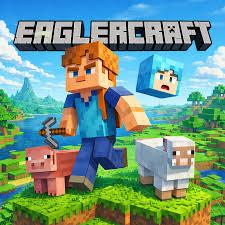
Hey everyone! If you are a fan of sandbox building games but frequently find yourself stuck on a device that doesn't have your favorite titles installed, I have a fun and incredibly convenient workaround for you today. Whether you are on a school laptop, a work computer on your lunch break, or just browsing on a low-end PC, let's talk about Eaglercraft. It is a surprisingly smooth way to experience classic block-building and survival mechanics right from your web browser, requiring absolutely no heavy downloads or complex installations.
The Gameplay Experience
Playing this game feels instantly familiar if you have ever spent time in classic block-survival games. You spawn empty-handed in an infinite, procedurally generated world filled with trees, mountains, caves, and various creatures. Your primary goal? Gather resources, craft tools, and survive the approaching night.
The controls are standard PC gaming fare, which makes jumping in a breeze. You will use the WASD keys to move around, the spacebar to jump, and your mouse to look around, mine blocks, and place items. Pressing 'E' opens your inventory where the crafting magic happens. What makes the game so interesting is its versatility. You can dive into a solitary single-player mode to peacefully build a farm, or you can join custom multiplayer servers to collaborate on massive city builds or compete in mini-games with other players from around the world.
Tips for Beginners
If you are just starting out or need a quick refresher on sandbox survival, here are a few handy tips to keep you alive and thriving:
- Punch Wood Immediately: As soon as you spawn into the world, find a tree and gather some wood. This is the foundation of your entire journey. Turn those logs into wooden planks, create a crafting table, and immediately build a wooden pickaxe to start gathering stone.
- Secure a Shelter: Nighttime is dangerous and brings zombies, skeletons, and creepers. Before the sun goes down, dig a small hole into a hillside or build a quick 3x3 dirt hut to stay safe until morning.
- Optimize Your Browser: Because Eaglercraft runs entirely within your web browser, its performance depends on your current setup. To reduce lag, close other heavy tabs or background applications. Playing in full-screen mode (usually by pressing F11) also makes the experience run smoother and feel much more immersive.
- Light It Up: Coal is your best friend early in the game. Use it to craft torches and light up your base. Monsters cannot spawn in well-lit areas, so keeping your home bright is essential for survival.
Conclusion
In short, if you are looking for an accessible, no-fuss way to scratch that sandbox itch, giving this browser-based gem a try is a fantastic idea. It brings the core of what makes block-building games so timeless directly to whatever screen you happen to be using. Whether you want to build a massive castle in creative mode or test your survival skills against the elements, a vast world is right there at your fingertips.
Have you guys tried playing any browser-based survival games recently? Let me know your favorite builds, survival stories, or server recommendations in the comments below. Happy crafting!
 Portuguese (Brazil)
 English
 Arabic
 French
 Spanish
 Portuguese
 Deutsch
 Turkish
 Dutch
Dutch
 Italiano
 Russian
 Romaian
 Greek
Greek