

Receipt Printer for Fast and Accurate Business Printing
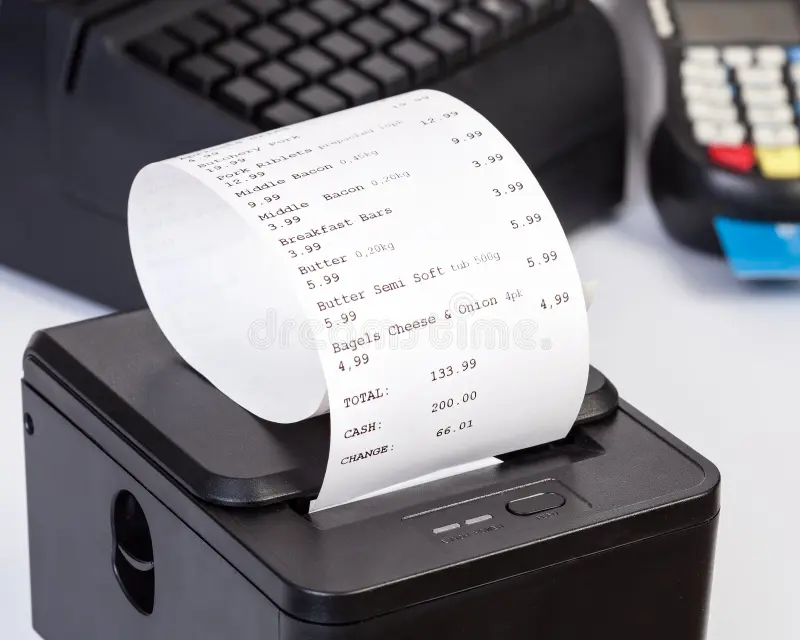
Receipt Printer Features That Improve Business Efficiency
A receipt printer is an essential device for businesses that want to improve transaction speed, accuracy, and customer satisfaction. Whether you operate a retail store, restaurant, supermarket, pharmacy, or café, having the right receipt printer can make daily operations smoother while creating a professional impression. Modern businesses rely on fast billing systems, and choosing a reliable printer helps reduce waiting times and minimizes printing errors.
Why Every Business Needs a Receipt Printer
In today's competitive business environment, customers expect quick service and accurate billing. A high-quality receipt printer ensures that every transaction is completed efficiently by producing clear, easy-to-read receipts within seconds.
Unlike standard office printers, receipt printers are specifically designed for point-of-sale (POS) systems. They are compact, durable, and capable of handling continuous printing throughout the day. Their reliable performance makes them an excellent investment for businesses of every size.
Key Features of a Modern Receipt Printer
Modern receipt printers come with several advanced features that improve operational efficiency. Some of the most important features include:
-
Fast printing speed for shorter customer wait times.
-
High-resolution printing for clear text and logos.
-
USB, Ethernet, Bluetooth, and Wi-Fi connectivity options.
-
Compact design that fits easily on checkout counters.
-
Low maintenance with long-lasting performance.
-
Compatibility with various POS software systems.
These features help businesses streamline transactions while maintaining professional service standards.
Types of Receipt Printers
Choosing the right printer depends on your business requirements. The most common types include:
Thermal Receipt Printer
Thermal printers use heat-sensitive paper instead of ink cartridges. They offer fast, quiet, and cost-effective printing, making them the preferred option for retail stores and restaurants.
Impact Receipt Printer
Impact printers use ribbons to print receipts and are suitable for businesses that require duplicate or multi-copy receipts, such as banks or logistics companies.
Mobile Receipt Printer
Portable receipt printers allow businesses to print receipts on the go. Delivery services, field sales teams, and mobile vendors commonly use these lightweight devices.
Role of POS Machine in Modern Billing Systems
A POS machine plays a crucial role in modern billing environments by connecting software, payment processing, and printing devices into one system. It ensures smooth transaction flow and accurate record keeping.A POS machine also helps businesses manage inventory, track sales, and improve customer service efficiency. When integrated with a receipt printer, it creates a complete and reliable billing solution.Retail stores and restaurants now depend on a POS machine to speed up checkout operations and reduce human errors.
Advantages of Using a Receipt Printer
A dedicated receipt printer offers several practical benefits beyond simple billing.
Faster Checkout Process
Quick printing speeds reduce customer waiting times, allowing staff to serve more customers during busy hours.
Professional Appearance
Clear, well-formatted receipts improve your business image and provide customers with accurate purchase records.
Improved Business Efficiency
Automated printing minimizes manual errors while helping employees focus on customer service instead of paperwork.
Lower Operating Costs
Thermal receipt printers eliminate the need for ink or toner, reducing long-term maintenance expenses.
Better Record Keeping
Printed receipts help businesses maintain organized sales records, making inventory management and financial reporting much easier.
Industries That Use Receipt Printers
Receipt printers are widely used across many industries, including:
-
Retail stores
-
Restaurants and cafés
-
Grocery supermarkets
-
Pharmacies
-
Hotels
-
Fuel stations
-
Hospitals
-
Entertainment venues
-
Transportation services
-
Small local businesses
Their flexibility makes them suitable for almost any business handling customer transactions.
Maintenance Tips for Longer Printer Life
Proper maintenance ensures consistent printing quality and extends the lifespan of your printer.
-
Clean the print head regularly.
-
Use high-quality receipt paper.
-
Protect the printer from dust and moisture.
-
Update firmware when available.
-
Avoid forcing paper into the printer.
-
Follow the manufacturer's maintenance guidelines.
Routine care reduces unexpected downtime and keeps your business operating efficiently.
Closing Thoughts
A reliable receipt printer is an important investment for businesses that value speed, accuracy, and professional customer service. From improving checkout efficiency to reducing operational costs, the right printer contributes to smoother daily operations and enhanced customer satisfaction. Selecting a model that matches your business needs can deliver long-term value and dependable performance. You can also explore the related POS solutions to find more tools that help streamline your business operations.
Frequently Asked Questions
1. What is a receipt printer?
A receipt printer is a specialized printer designed to produce transaction receipts quickly and efficiently for point-of-sale systems in retail stores, restaurants, and other businesses.
2. Which type of receipt printer is best?
Thermal receipt printers are generally the best choice because they print quickly, operate quietly, and do not require ink or toner.
3. Can a receipt printer connect wirelessly?
Yes. Many modern receipt printers support Bluetooth and Wi-Fi connectivity, allowing seamless integration with POS systems and mobile devices.
4. How long does a receipt printer last?
With proper maintenance and regular cleaning, a quality receipt printer can provide reliable performance for many years, even in high-volume business environments.
5. Are receipt printers compatible with all POS systems?
Most modern receipt printers support multiple operating systems and POS software, but it is always recommended to verify compatibility before purchasing.
6. Why should businesses use a dedicated receipt printer instead of a regular printer?
Receipt printers are specifically designed for fast, continuous transaction printing. They offer quicker performance, greater durability, lower operating costs, and seamless integration with POS systems compared to standard office printers.
 English
 Arabic
 French
 Spanish
 Portuguese
 Deutsch
 Turkish
 Dutch
Dutch
 Italiano
 Russian
 Romaian
 Portuguese (Brazil)
 Greek
Greek