

How Outsourced SaaS Support Handles Login and Access Issues
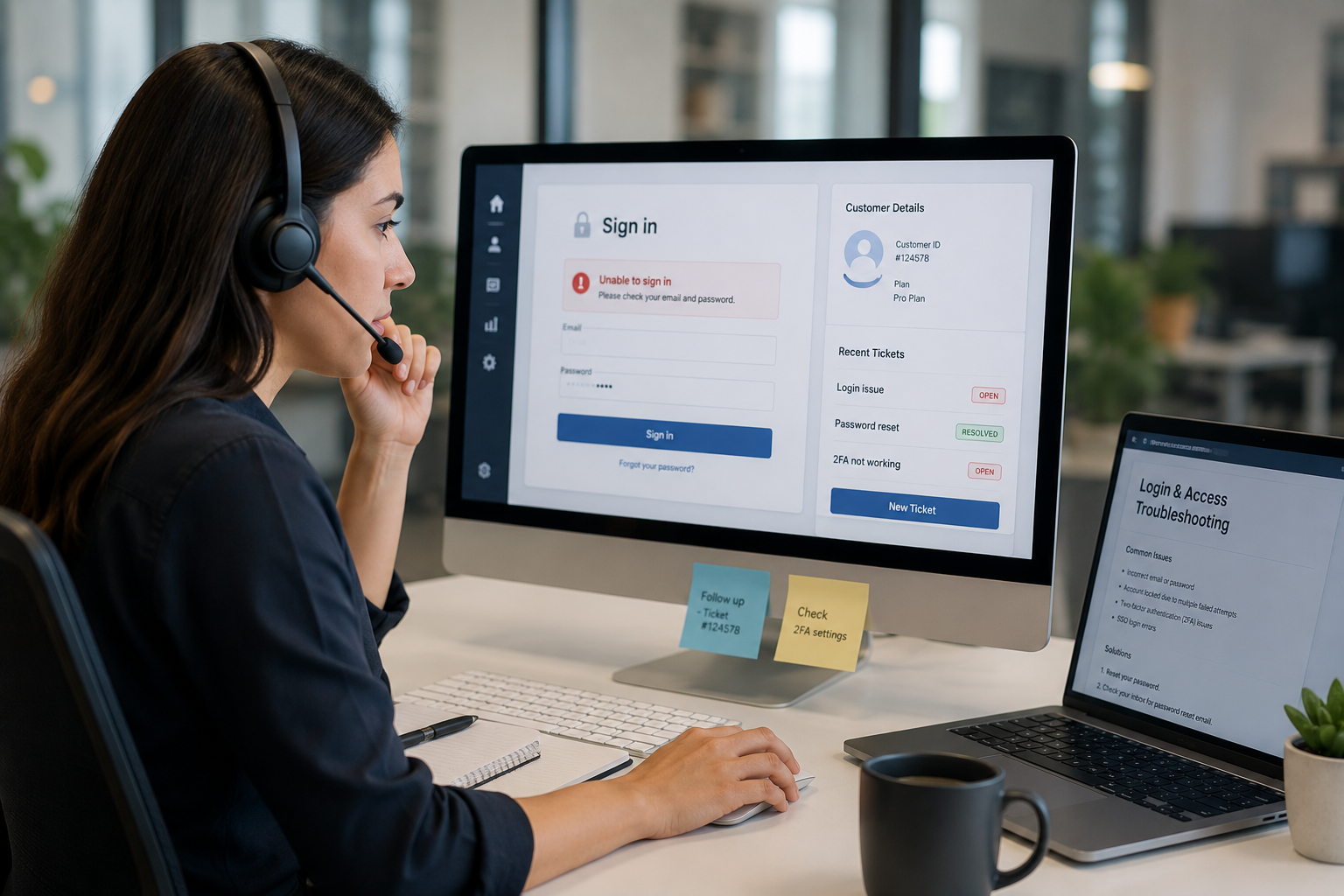
Login and access problems can bring work to a halt. An employee may be unable to sign in, a customer may be locked out of an account, or an administrator may struggle to manage user permissions. For SaaS companies, these issues can affect productivity, customer satisfaction, and revenue.
Outsourced SaaS support helps resolve these problems quickly and consistently. They provide technical assistance, investigate the cause of access failures, and follow established security procedures to protect user accounts.
Common login and access issues in SaaS applications
SaaS users may experience several types of access problems, including:
- Forgotten passwords
- Locked or suspended accounts
- Failed single sign-on attempts
- Multi-factor authentication problems
- Incorrect usernames or email addresses
- Expired invitations
- Inactive user accounts
- Permission errors
- Browser and cache-related problems
- Access issues caused by software updates
- Problems connecting through a virtual private network
- Incorrect user roles or group assignments
Although some issues are simple to fix, others may involve identity providers, application settings, integrations, or account security controls.
How outsourced SaaS support manages access requests
An outsourced support team usually follows a structured process to handle each request.
1. Verifying the user’s identity
Security comes first. Before changing a password, unlocking an account, or modifying permissions, support agents verify that the request is genuine.
Depending on the support process, verification may involve:
- Confirming account details
- Checking the registered email address
- Using approved verification questions
- Confirming the request through an administrator
- Reviewing account activity
- Following the customer’s identity verification policy
This helps prevent unauthorized access and protects sensitive customer information.
2. Identifying the type of problem
Support agents gather relevant details, such as:
- The exact error message
- The user’s account or organization
- The device and browser being used
- When the issue began
- Whether other users are affected
- Recent password, policy, or software changes
- Whether the user can access other connected services
This information helps the team determine whether the issue is related to the user, the application, the network, or an external identity system.
3. Resolving routine issues quickly
Many access requests can be resolved through standard procedures. These may include:
- Sending a secure password-reset link
- Unlocking an account after verification
- Reissuing an expired invitation
- Updating a user’s email address
- Clearing an incorrect session
- Providing browser troubleshooting steps
- Helping the user complete multi-factor authentication
- Reconnecting a supported identity provider
Documented procedures help agents provide consistent support and reduce resolution times.
4. Investigating permission problems
A user may be able to log in but still be unable to access a feature, account, workspace, or report. This is often a permission issue rather than a login problem.
Support agents may check:
- The user’s assigned role
- Group membership
- Subscription level
- Organization settings
- Feature access
- Approval requirements
- Account status
- Recent permission changes
If an administrator must approve the change, the support team can explain the required steps and coordinate with the correct contact.
5. Supporting single sign-on and identity integrations
Many SaaS platforms use single sign-on, allowing users to access applications through a company identity provider. When SSO fails, the cause may be outside the SaaS application.
Common causes include:
- Incorrect identity-provider configuration
- Expired certificates
- Incorrect domain settings
- Failed user synchronization
- Mismatched email addresses
- Incorrect security policies
- Problems with the SAML or authentication connection
Outsourced SaaS support teams can review available logs, identify the likely source of the problem, and coordinate with the customer’s IT or identity-management team when deeper action is needed.
How support teams protect accounts during troubleshooting
Fast support should never weaken account security. A well-managed outsourced support service uses safeguards throughout the process.
These safeguards may include:
- Identity verification before account changes
- Role-based access for support agents
- Limited administrative permissions
- Approval requirements for sensitive requests
- Detailed ticket records
- Audit logs for account changes
- Secure communication channels
- Escalation procedures for suspicious activity
- Regular training on security and privacy requirements
Support agents should never request or record a user’s password. Password resets should be completed through secure, approved methods.
Using a ticketing system to manage access issues
A ticketing system gives the support team a central place to record, prioritize, and track requests. It also helps ensure that no issue is overlooked.
A well-managed ticket usually records:
- The user’s reported problem
- Verification steps completed
- Troubleshooting actions
- Account or system details
- Resolution provided
- Escalation notes
- Follow-up requirements
Tickets can also be categorized by issue type, such as password reset, MFA problem, permission error, or SSO failure. Over time, this data helps SaaS companies identify repeated problems and improve the product or support process.
Prioritizing urgent access issues
Not every access problem has the same business impact. A single-user password reset may be routine, while an SSO outage affecting an entire customer organization may require immediate attention.
Support teams can prioritize requests based on factors such as:
- Number of users affected
- Customer plan or service agreement
- Business impact
- Security risk
- Availability of a workaround
- Whether the issue affects a critical system
- Whether the problem appears to be widespread
Clear service-level targets help set expectations for response and resolution times.
When support issues need escalation
Some problems require assistance from engineering, security, product, or infrastructure teams. Outsourced support agents escalate issues when they involve:
- Suspected account compromise
- A widespread authentication outage
- A software defect
- Failed identity-provider integration
- Database or synchronization problems
- Repeated access failures
- Sensitive permission changes
- A problem without an approved resolution
Good escalation includes a clear summary of the issue, troubleshooting already completed, relevant logs, affected users, and business impact. This prevents customers from having to repeat the same information.
Proactive steps that reduce login problems
Outsourced SaaS support can do more than respond to individual tickets. It can help identify patterns and reduce recurring access issues.
Useful proactive measures include:
- Creating clear password-reset instructions
- Improving account-invitation workflows
- Reviewing common error messages
- Monitoring authentication systems
- Updating help-center articles
- Tracking repeated MFA problems
- Reviewing failed login trends
- Testing SSO integrations
- Improving administrator guidance
- Providing user education
- Reporting recurring product issues to internal teams
These efforts reduce support volume and make the application easier to use.
The benefits of outsourced SaaS access support
Working with an outsourced support provider can offer several advantages:
Faster response
A dedicated support team can handle login requests without making customers wait for internal technical staff.
Consistent processes
Standard procedures help agents resolve common issues accurately and securely.
Extended coverage
Outsourced teams may provide support across different time zones or outside normal business hours.
Better scalability
Support capacity can increase as the SaaS customer base grows.
Reduced internal workload
Product, engineering, and internal IT teams can focus on higher-priority work.
Improved customer experience
Fast, clear assistance helps reduce frustration and supports customer retention.
How to choose an outsourced SaaS support provider
Before selecting a provider, SaaS companies should evaluate:
- Experience supporting software users
- Knowledge of authentication and access systems
- Security and privacy procedures
- Identity verification methods
- Support hours and coverage
- Service-level agreements
- Escalation processes
- Ticketing and reporting capabilities
- Agent training
- Ability to follow product-specific procedures
- Experience with SSO and MFA support
- Quality assurance practices
The provider should be able to balance helpful service with strict account-security controls.
Conclusion
Login and access issues are common, but they do not have to become major disruptions. Outsourced SaaS support teams use structured troubleshooting, identity verification, ticket management, and escalation procedures to help users regain access safely.
By handling routine requests, investigating complex authentication problems, and identifying recurring trends, an outsourced tech support can improve user satisfaction while reducing the pressure on internal SaaS teams. The result is a more reliable support experience and a safer way to manage access across the customer base.
 Russian
 English
 Arabic
 French
 Spanish
 Portuguese
 Deutsch
 Turkish
 Dutch
Dutch
 Italiano
 Romaian
 Portuguese (Brazil)
 Greek
Greek